SpeakerOps Learn
Operator handbook for SpeakerOps: program operations from CFP to readiness, with full CLI and security guides.
What SpeakerOps is
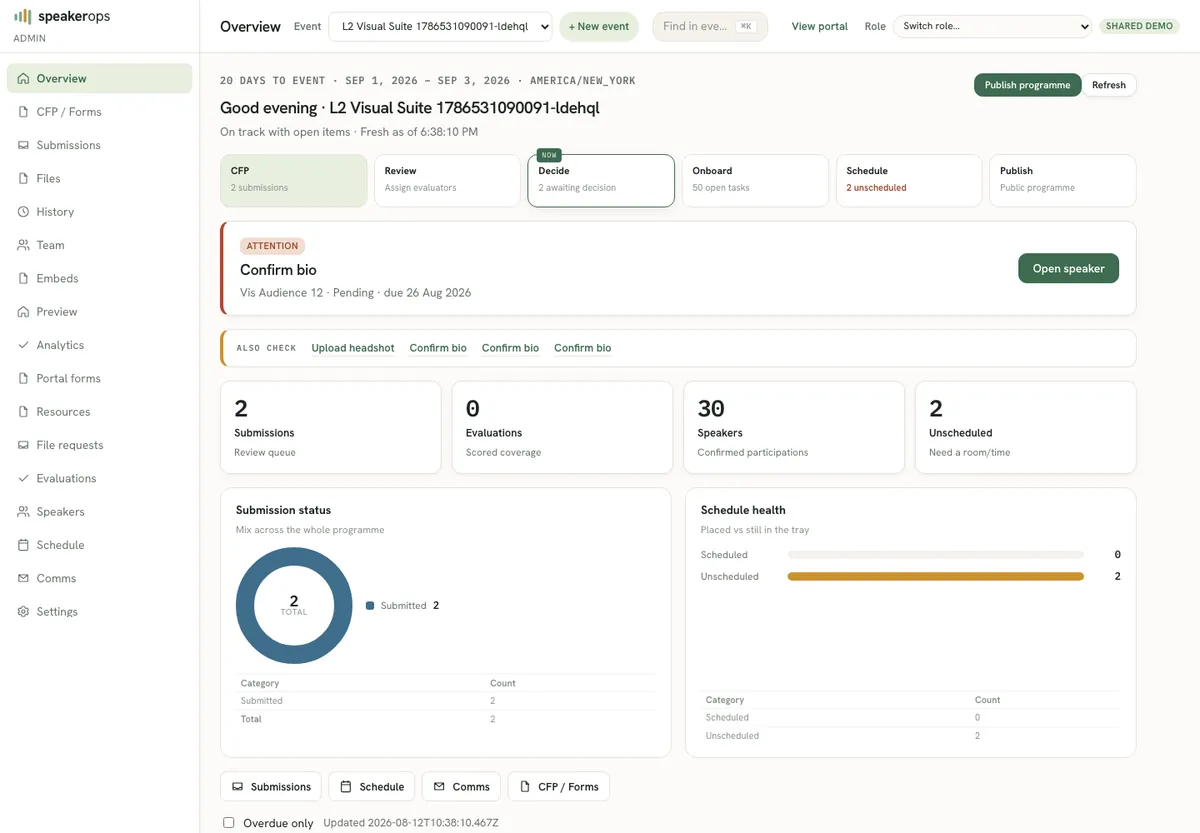
SpeakerOps is a Program OS for multi-day tech conference program operations. Operators run conditional call-for-proposals forms, human evaluation, accept or reject decisions, speaker portal tasks, templated communications with calendar invites, conflict-aware scheduling, and a live readiness dashboard from one system of record.
The product is open source and deploys on Cloudflare Workers with D1 as the durable store and R2 for file assets when configured (the hosted demo stores file bytes as durable D1 rows because R2 is not bound). Humans use the admin SPA with magic-link sessions. Agents and automation use the same typed domain commands through the speakerops CLI and scoped API keys. Authorization is always enforced on the Worker; the UI and CLI never elevate themselves.
This Learn site is the self-contained operator handbook. Every guide on the left should teach the screen or command set in full so you do not need a second document to finish the job. Use search when you know a term; use the Program group when you are walking the season end to end.
- Program path: CFP forms → public submit → evaluation → decisions → portal → schedule → readiness → comms
- Agent path: mint scoped API key → install CLI → run domain verbs with --json
- Access path: /judge access code (judges) or membership-aware magic link → role-gated admin or portal
How this handbook is organized
Guides are grouped the way operators work. Get started covers onboarding, the private demo host, and roles. Program covers each admin surface in season order. Agents covers CLI install, API keys, scopes, exit codes, and every inventory command with examples. Ops covers security hardening and day-2 deploy. About and FAQ answer scope boundaries and common blockers.
Each article lists the product routes it maps to so you can open the live app beside the guide. Code blocks are copy-paste ready for local or demo hosts. Tables summarize scopes, env names, and exit codes without sending you elsewhere for the critical path.
| Group | What you learn |
|---|---|
| Get started | Zero to running workspace, demo host, roles and sessions |
| Program | Menu-by-menu operator steps for every admin surface |
| Agents | Full CLI and API key handbook for humans and coding agents |
| Ops | Security model, deploy, migrate, seed, and day-2 care |
| FAQ | Magic-link limits, demo access, email delivery, list performance |
What SpeakerOps is not
SpeakerOps deliberately stays out of CRM suites, marketing automation, awards applications, SMS blasts, marketplace apps, and form payment collection. Those systems remain separate sources of truth. The product focuses on program operations only so operators get depth where conference program work actually happens.
If a workflow is not listed under Program or Agents, check Scope and non-goals before inventing a parallel process. Prefer domain commands over raw database access for every staff or agent action.
Live surfaces you will use
The private demo app lives on speakerops.org with seeded data and magic-link login. Learn itself is published at learn.speakerops.org as a static handbook worker. Local development typically runs the API near port 8787 and the Vite SPA near port 5173. Env var names are documented throughout; never commit secret values.
- App: https://www.speakerops.org (or your dogfood workers.dev host)
- Learn: https://learn.speakerops.org
- Local API default: http://127.0.0.1:8787
- OpenAPI discovery: GET /openapi.json on the API base URL
All guides
Every topic below is a full how-to written for operators and agents — not a teaser that sends you elsewhere.
Onboarding
Zero to a running SpeakerOps workspace: install, env names, migrate, seed, first admin, and the demo walk.
Demo host
How to reach the private SpeakerOps Cloudflare demo, who can log in, and what is seeded.
Roles
Magic-link sessions, role gates, and what each role can do in admin and portal.
CFP forms
Build, version, and publish conditional CFP forms from Admin → CFP, including speaking configuration.
Public CFP
How submitters complete the public call for proposals, including Turnstile and multi-speaker answers.
Evaluation
Assign evaluators, score submissions against rubrics, and prepare decisions.
Decisions
Record accept, reject, and waitlist decisions with audit, and understand side effects on speakers and tasks.
Speakers admin
Manage event participations, search speakers, and open portal-related work from admin.
Speaker portal
How accepted speakers complete tasks, upload files, and track what the program still needs.
Schedule
Place sessions into rooms and times with conflict detection from Admin → Schedule.
Readiness
Monitor outstanding speaker tasks, stats, and go-live risk from the readiness dashboard.
Comms
Draft templated email, preview recipients, send via outbox, and manage calendar invites.
Event settings
Configure event identity, rooms, tracks, and program parameters under Admin → Settings.
Design kit
Set brand tokens for public and portal surfaces without freeform CSS.
Task templates
Define the speaker tasks that are generated when proposals are accepted.
CLI and keys
Full handbook: mint scoped API keys, install the speakerops CLI, authenticate, run every inventory command, read exit codes, and automate safely.
Security
Sessions, CSP, secrets names-only, scopes, and operator hardening practices.
Operations
Local day-0 loop, Cloudflare dogfood deploy, migrate, seed, and day-2 care.
Scope
What SpeakerOps owns as Program OS and what it intentionally will not become.
FAQ index
Short answers and links to deep FAQ pages for access, email, and performance.
Magic-link limits
Why magic-link requests are rate limited and how operators recover.
Allowlist
Private demo and dogfood access is controlled by email allowlist membership and role.
Email delivery
How demo email sending works on Cloudflare and how to debug missing messages.
Speakers performance
Keep Admin → Speakers responsive for large events.
Additional admin surfaces
Beyond the season path above, admin also includes Team, File requests, Resources, Embeds, Files, History, Analytics, and Find (⌘K). Short guides: Team, File requests, Resources, Embeds, Find.