CFP form builder
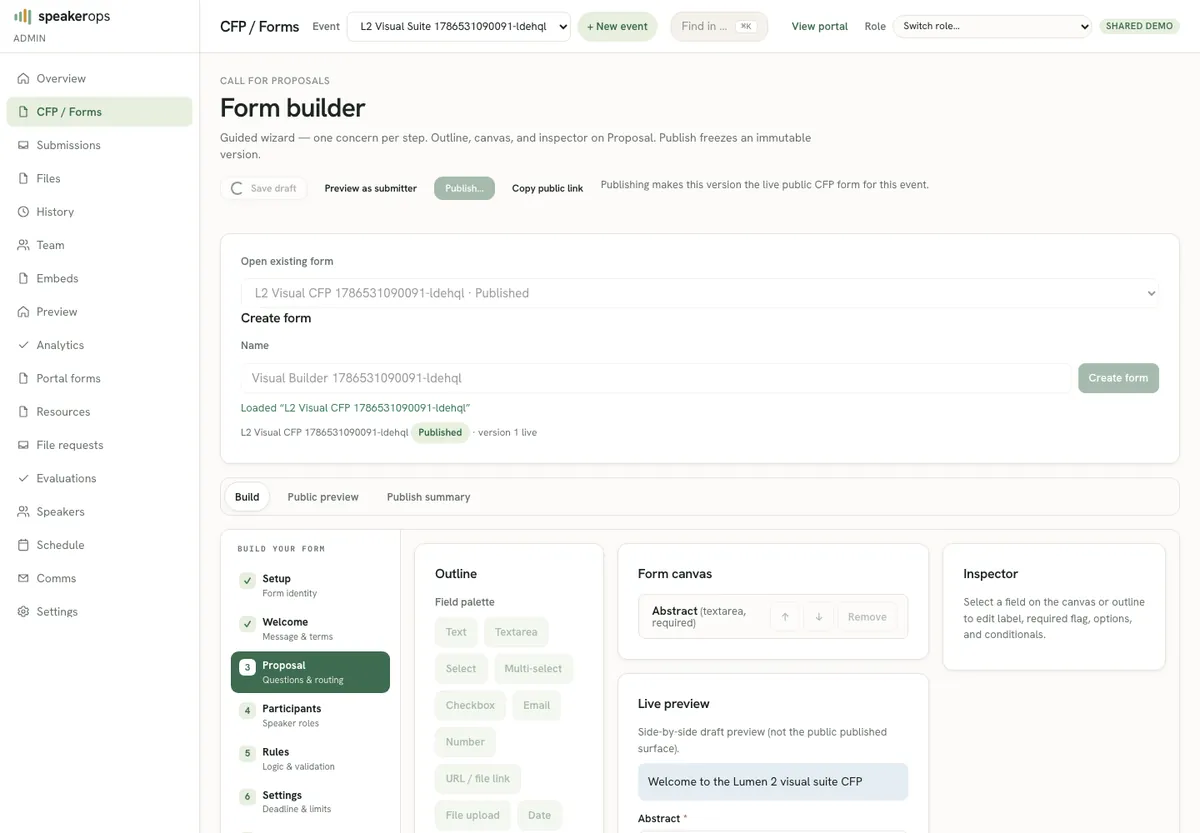
Build, version, and publish conditional CFP forms from Admin → CFP, including speaking configuration.
Where this lives
Open Admin → CFP (route /admin/cfp). Forms are event-scoped, and a form picker in the builder switches between the event's forms so you always know which one you are editing. A form has a draft you edit freely, then a publish action that pins an immutable form version with fields and rules. Public submit always reads the published version so mid-season edits do not silently rewrite historical answers.
Build a draft form
Create or open a form for the active event. Add fields with types the builder supports (short text, long text, select, multi-select, boolean, and related structures). Order fields for the public experience. Conditional rules hide or show fields based on earlier answers so multi-track or multi-format CFPs stay calm.
Speaking configuration on the form controls how many speakers a submission can carry and related public CFP transport limits. Configure that panel when proposals need co-speakers, titles, companies, or bios on the public surface.
- Select the event context if the shell requires it.
- Open Admin → CFP and create a form or open an existing draft.
- Add fields in the order submitters should see them.
- Attach conditional rules for format, track, or other branching.
- Set speaking configuration (speaker count and related public fields) when co-speakers are required.
- Save the draft and review the preview if the UI offers one.
Publish and versioning
Publishing creates a form version snapshot. Submissions bind to that version. Later draft edits do not change past submissions. To change the live public form, publish again after you are satisfied with the draft. The publish action warns about the consequence — it replaces what the public CFP serves — before you confirm.
Treat publish as a program decision: announce changes to submitters if the CFP is already open. Prefer additive clarification fields over removing fields mid-flight when evaluation rubrics depend on answers.
Operator checklist before opening the CFP
Confirm required fields are truly required, optional fields are optional, speaking limits match program policy, Turnstile is configured on the public host, and the public slug is the one you will share. Walk the public form once as a stranger before marketing the URL.
- Draft fields and rules reviewed by program lead
- Speaking configuration matches max co-speakers policy
- Published version exists and public route resolves
- Turnstile keys present on the Worker for production/demo
- Test submission created and visible under Submissions
How form data flows next
Published forms feed public CFP submit. Answers land on submissions under the form version. Evaluation scores those submissions. Accept decisions create or link people and participations and generate speaker tasks from templates. Readiness and schedule consume the accepted program graph. This chain is the core field flow of SpeakerOps.