Evaluation and scoring
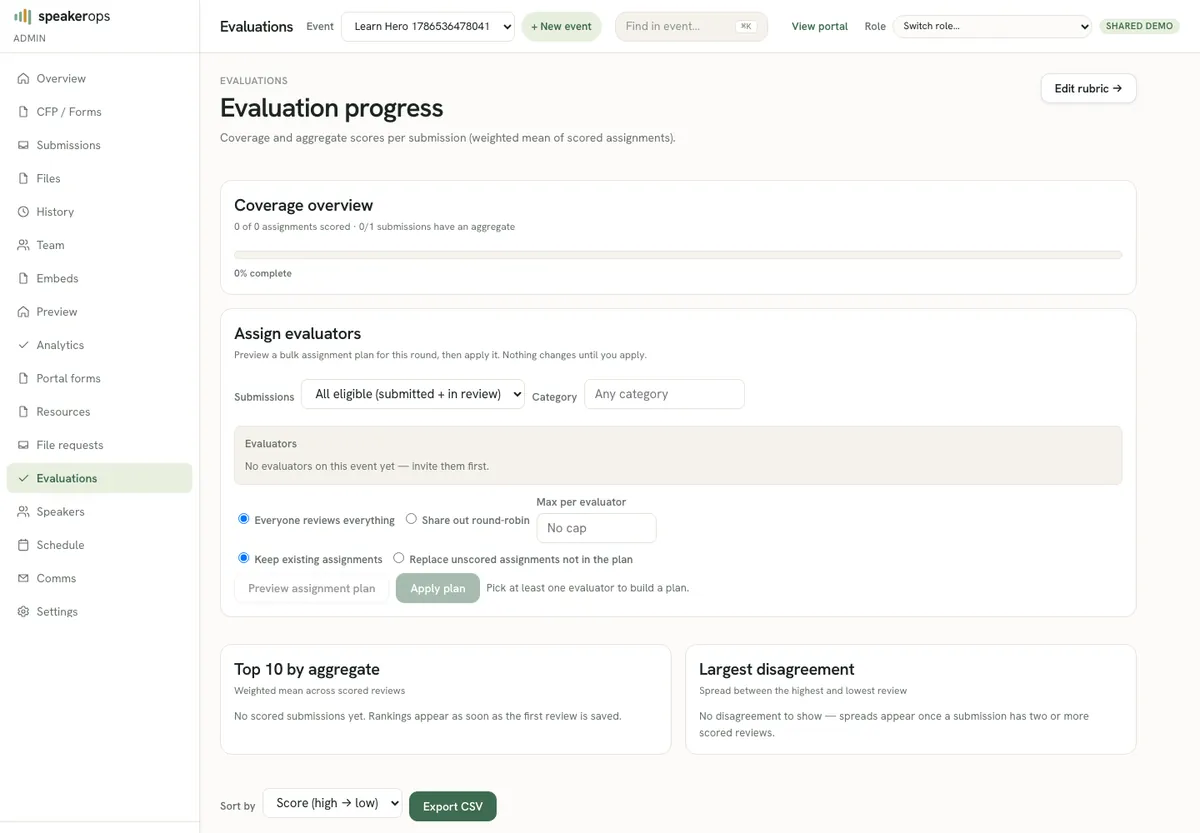
Assign evaluators, score submissions against rubrics, and prepare decisions.
Where evaluation happens
Admins manage evaluation from Admin → Evaluations. Evaluators often work from /eval for their assigned queue. Scores attach to submissions and feed ranking and decision discussions. Evaluation is human-in-the-loop by design; agents may list and read with scopes but program quality still depends on people.
Provision evaluator accounts with the evaluator role only. External reviewers should not receive full admin sessions or keys with decisions:write.
Prepare rubrics and assignments
Rubric dimensions should map to questions the form actually asked. If you score innovation but never asked for an innovation narrative, evaluators will invent signal. Assign evaluators so workload is balanced and conflicts of interest are avoided (same company, co-authors, etc.).
- Confirm rubric dimensions with the program committee.
- Map each dimension to form fields evaluators should read.
- Assign evaluators to submissions or cohorts.
- Brief evaluators on score meaning (what a 3 versus a 5 means).
Run a scoring pass
Evaluators open each assigned submission on /eval, read answers and speaker context, and score each rubric criterion with a compact segmented control (1…N chips — not a free-form number box). Comments are a first-class field under the scores. Multiple evaluators may score the same submission depending on program policy. Save often; do not rely on browser back to preserve drafts.
- Publish the CFP and collect enough submissions to score.
- Open evaluation admin and confirm assignments for your cohort.
- As an evaluator, open /eval and work the queue one submission at a time.
- Enter scores for each rubric dimension and save.
- Return to admin views to compare aggregates before decisions.
From scores to decisions
Scoring does not automatically accept a talk. Decisions are a separate command that records accept, reject, or waitlist with audit. Use evaluation output as the evidence pack for decision meetings, then apply decisions deliberately on the submissions screen.
Quality tips
Calibrate scorers on a few shared submissions. Document what each rubric number means. Watch for missing scores before decision day. List views help find unscored items quickly.
- Rubric dimensions match form questions
- Assignments cover the full submission set
- Comments capture conflict-of-interest notes when needed
- Unscored items cleared before bulk decisioning
- Calibration set reviewed before solo scoring begins