Public CFP submit
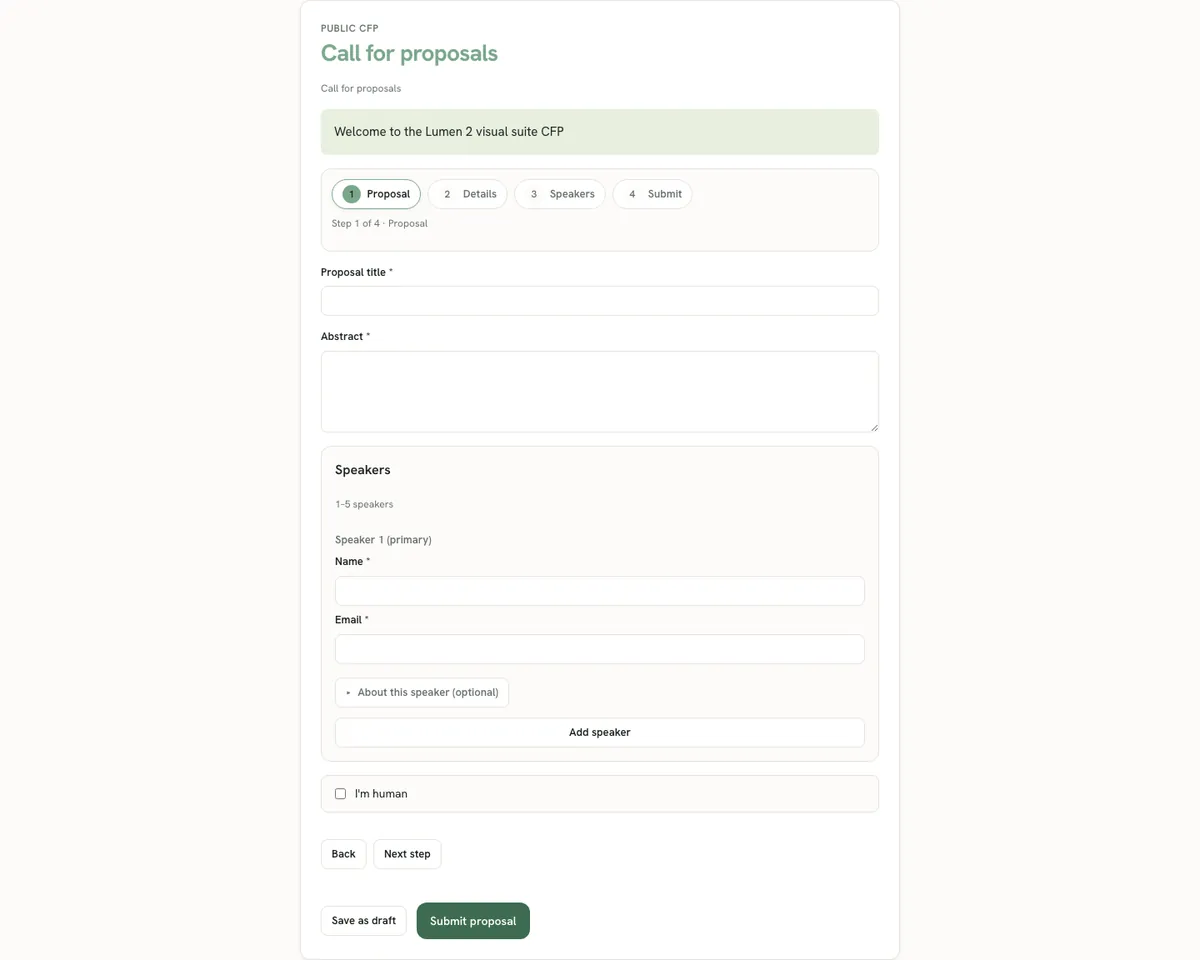
How submitters complete the public call for proposals, including Turnstile and multi-speaker answers.
Where the public form lives
Each published form is available at /cfp/:slug for its public slug. The page loads the published field set and rules, not the admin draft. Submitters do not need accounts. Protection relies on Turnstile and server-side validation, plus demo-mode limits where configured.
Share only the published slug after you have walked the form yourself. Marketing a draft-only form produces empty or stale public pages and confused submitters.
Submitter experience
Submitters fill visible fields, including conditional branches that appear after earlier answers. When speaking configuration allows multiple speakers, they add co-speaker rows with name, email, and optional bio, company, and title fields as configured.
On hosts with DEMO_MODE, public file upload may be disabled even if the form mentions files. Production hosts with R2 configured can accept allowed uploads through the product file commands.
- Open the public CFP URL shared by the program team.
- Complete required fields and any conditional sections that appear.
- Add co-speakers within the configured maximum when the form requests them.
- Complete the Turnstile challenge when prompted.
- Submit and keep any confirmation identifier the page returns.
Validation and errors submitters may see
Server-side validation rejects missing required fields, invalid emails, speaking counts above the form maximum, and failed Turnstile tokens. Conditional fields that are hidden should not block submit. If a submitter reports a mysterious failure, reproduce with the same branch path and check Worker logs for correlation ids rather than guessing.
- Required field empty → field-level error
- Too many speakers → speaking limit error
- Turnstile failure → retry challenge
- Unpublished form → public route empty or unavailable
What operators see after submit
New submissions appear under Admin → Submissions with status submitted (or the product equivalent). Answers are frozen to the form version. Evaluation assignments and scoring happen next. Operators should not edit raw answers casually; prefer clarify via comms or a new submission policy when programs require it.
Operator validation walk
Before promoting a CFP URL, submit a full happy-path proposal and at least one conditional branch path. Confirm the submission appears for evaluators and that required speaking fields round-trip into the admin view. Capture the public URL in program runbooks so staff do not invent alternate slugs.
- Publish the form from Admin → CFP.
- Open /cfp/<slug> in a private browser window.
- Submit happy path and one alternate branch.
- Confirm both rows in Admin → Submissions.
- Hand the URL to marketing only after both pass.